Call Center CRM: The Complete Guide to Unified Customer Communications in 2026
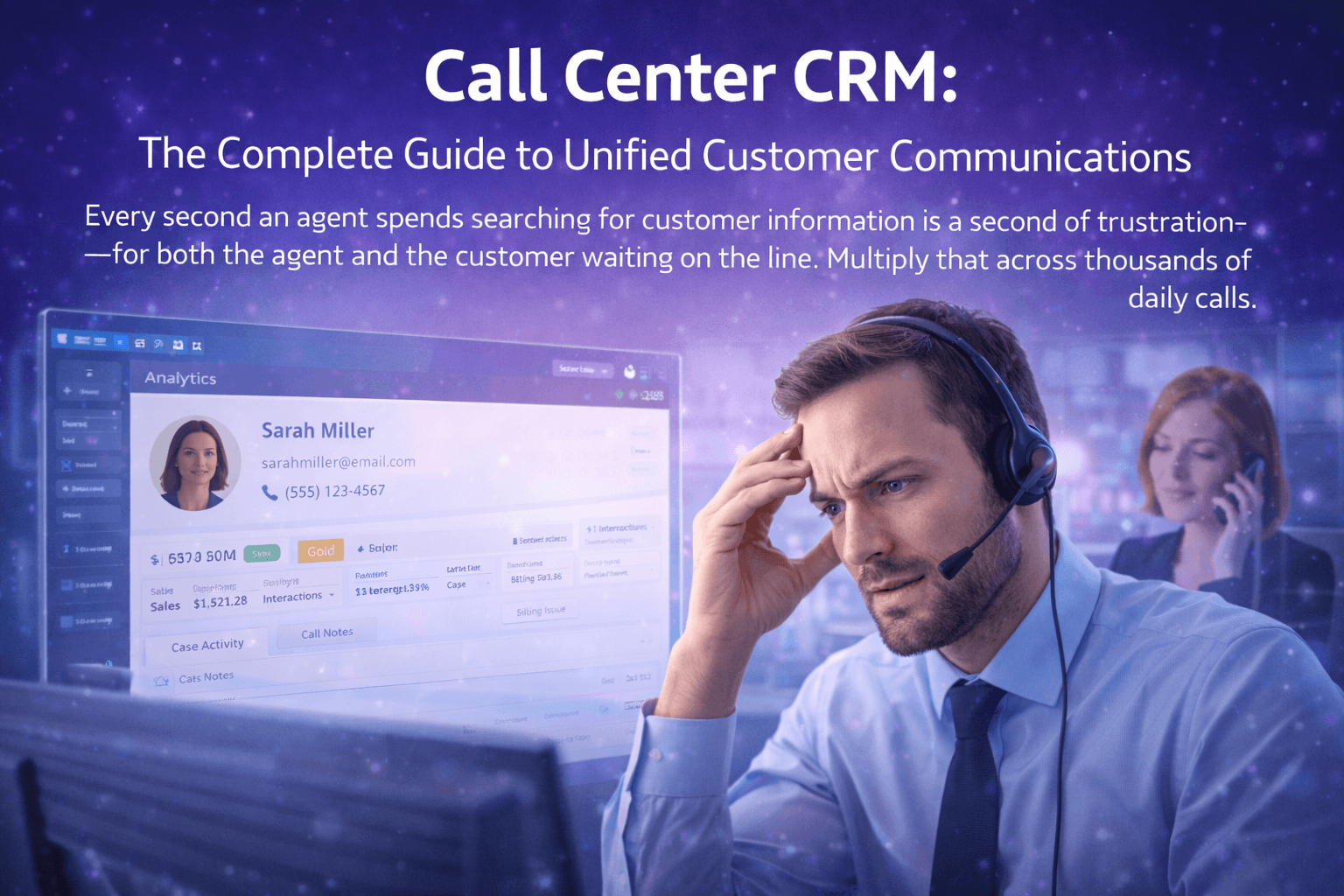
Every second an agent spends searching for customer information is a second of frustration—for both the agent and the customer waiting on the line. Multiply that across thousands of daily calls, and you're looking at massive productivity losses, plummeting satisfaction scores, and agents burning out from preventable friction.
Call center CRM solves this by unifying customer data with telephony systems. When the phone rings, agents instantly see who's calling, their complete history, open tickets, purchase records, and previous interactions. No scrambling. No asking customers to repeat themselves. Just informed, efficient conversations that resolve issues faster and leave customers impressed.
The global call center CRM market exceeds $15 billion, with businesses recognizing that disconnected systems cost more than integration ever could. Yet many organizations still operate with separate phone systems and CRM databases, forcing agents to toggle between applications while customers wait.
This comprehensive guide explores everything about call center CRM—from fundamental concepts to implementation strategies to the leading solutions in 2026. Whether you're evaluating your first CRM integration or replacing an underperforming system, you'll discover exactly how to unify your customer communications for maximum impact.
What is Call Center CRM?
Call center CRM (Customer Relationship Management) refers to software that integrates customer data management with contact center telephony systems. This integration creates a unified platform where agents access complete customer context during every interaction.
CRM in Call Center: Core Functions
What is CRM in call center operations? It encompasses:
Customer Data Management:
- Centralized contact database
- Interaction history across all channels
- Purchase and account information
- Support ticket tracking
- Custom fields and notes
Telephony Integration:
- Screen pop on incoming calls
- Click-to-dial functionality
- Automatic call logging
- Call recording linked to records
- Voicemail-to-CRM transcription
Workflow Automation:
- Lead assignment and routing
- Follow-up task creation
- Escalation triggers
- SLA monitoring
- Campaign management
Analytics & Reporting:
- Agent performance metrics
- Customer satisfaction tracking
- Revenue attribution
- Trend analysis
- Custom dashboards
How Call Center CRM Integration Works
Call center CRM integration connects your phone system with customer database through several methods:
Native Integration: All-in-one platforms like Intell Call include both CRM and telephony in a single system. No integration required—data flows seamlessly because it's one unified platform.
API Integration: Separate CRM and phone systems connect through APIs (Application Programming Interfaces). When calls arrive, the phone system queries the CRM for customer data.
CTI Middleware: Computer Telephony Integration software bridges legacy phone systems with modern CRMs, translating data between incompatible systems.
Webhook-Based: Real-time notifications trigger data sync between systems when events occur (call started, call ended, voicemail received).
The Intell Call Advantage: Native integration eliminates complexity, latency, and points of failure inherent in connecting separate systems.
Why Call Center CRM Matters
The Cost of Disconnected Systems
Organizations without CRM call center integration face measurable disadvantages:
Agent Productivity Loss:
- 15-30 seconds searching for customer records per call
- 20+ seconds manually logging call details
- Constant application switching disrupts focus
- Impact: 25% reduction in calls handled daily
Customer Experience Degradation:
- Customers repeat information multiple times
- Agents lack context for personalized service
- Issue history unavailable during calls
- Impact: 18% lower satisfaction scores
Data Quality Issues:
- Inconsistent record-keeping across systems
- Duplicate or conflicting customer records
- Lost interaction history
- Impact: Unreliable reporting, missed opportunities
Compliance Risk:
- Incomplete audit trails
- Manual processes create gaps
- Difficult to demonstrate compliance
- Impact: Regulatory exposure, potential fines
The Business Case for Integration
Call center CRM software delivers quantifiable returns:
| Metric | Without CRM | With CRM | Improvement |
|---|---|---|---|
| Average Handle Time | 6:30 | 4:45 | 27% faster |
| First Call Resolution | 62% | 78% | 26% higher |
| Customer Satisfaction | 3.6/5 | 4.3/5 | 19% increase |
| Agent Calls/Day | 45 | 58 | 29% more |
| Data Entry Time | 45 min/day | 5 min/day | 89% reduction |
| Customer Churn | 18%/year | 12%/year | 33% reduction |
ROI Calculation Example (50-Agent Center):
| Category | Annual Impact |
|---|---|
| Productivity gains (29% more calls) | $450,000 |
| Reduced handle time | $180,000 |
| Lower churn (retained revenue) | $320,000 |
| Decreased training time | $45,000 |
| Total Annual Benefit | $995,000 |
| CRM Investment | $60,000 |
| ROI | 1,558% |
Call Center CRM Features
Essential call center CRM features that drive operational excellence:
Screen Pop (Caller ID Integration)
When calls arrive, customer information instantly displays:
Information Displayed:
- Customer name and contact details
- Account status and value tier
- Recent interactions and tickets
- Purchase history highlights
- Notes from previous agents
- Personalized scripts or offers
Business Impact:
- Personalized greetings ("Hello, Mr. Johnson!")
- Immediate context for the conversation
- No customer repetition required
- Professional, informed service impression
Click-to-Dial
Outbound calling directly from CRM interface:
Functionality:
- Click any phone number to initiate call
- Works from contact records, lists, reports
- Automatic dialing eliminates manual entry
- Call immediately logged to correct record
Business Impact:
- 25% increase in outbound calls
- Zero wrong number dialing
- Complete call documentation
- Faster campaign execution
Automatic Call Logging
Every interaction documented without manual entry:
Captured Data:
- Call date, time, and duration
- Agent who handled the call
- Call outcome/disposition
- Recording link (if enabled)
- Any notes added during call
Business Impact:
- Complete interaction history
- Accurate reporting data
- Eliminated data entry burden
- Audit-ready documentation
Unified Customer Timeline
Single view of all customer interactions:
Timeline Includes:
- Phone calls (inbound and outbound)
- Emails sent and received
- Chat conversations
- SMS messages
- Support tickets
- Purchases and transactions
- Notes and activities
Business Impact:
- Agents understand full customer journey
- No context switching between systems
- Identify patterns and opportunities
- Consistent service across channels
Workflow Automation
Triggered actions based on call events:
Automation Examples:
- Create follow-up task after sales call
- Send confirmation email after support resolution
- Escalate to supervisor if call exceeds 15 minutes
- Assign lead to appropriate agent based on criteria
- Update account status based on call outcome
Business Impact:
- Nothing falls through cracks
- Consistent process execution
- Reduced manual task management
- Faster response times
Reporting & Analytics
Unified data enables comprehensive insights:
Report Types:
- Agent performance dashboards
- Call volume and pattern analysis
- Customer satisfaction trends
- Revenue attribution by agent/campaign
- SLA compliance monitoring
- Quality score correlation
Business Impact:
- Data-driven management decisions
- Identify top performers for modeling
- Spot training opportunities
- Measure initiative effectiveness
Best Call Center CRM Software 2026
After extensive evaluation across features, integration quality, ease of use, and value, these solutions lead the market:
1. Intell Call — Best Native Call Center CRM
Rating: ★★★★★ (9.9/10) Best For: Unified Call Center & CRM Operations
Intell Call delivers the only truly native call center CRM software—purpose-built with telephony and customer management as one unified system. Unlike competitors requiring complex integrations between separate products, Intell Call provides seamless data flow because everything operates on a single platform.
Native CRM Capabilities:
- Contact Management — Centralized customer database with unlimited custom fields
- Company/Account Records — B2B relationship tracking with hierarchies
- Deal Pipeline — Visual sales tracking with stage automation
- Activity Timeline — Complete interaction history across all channels
- Task Management — Follow-ups with reminders and assignments
- Email Integration — Sync with Gmail, Outlook, or built-in email
- Document Storage — Attach files to any record
- Custom Objects — Build data structures for your business
Telephony Integration (Native):
- Instant Screen Pop — Zero-latency customer data on incoming calls
- Click-to-Dial — Call from any record or phone number
- Automatic Logging — Every call documented instantly
- Recording Links — Audio attached to customer records
- Voicemail Transcription — Read messages, linked to contacts
- SMS Integration — Text from CRM, logged to timeline
- Disposition Codes — Categorize call outcomes
- Call Notes — Real-time notation during conversations
Advanced Features:
- Predictive Dialer — Outbound campaigns with CRM data
- IVR Integration — Route based on CRM attributes
- Skills-Based Routing — Match callers to best agents
- Workflow Automation — Triggers based on call events
- Quality Monitoring — Evaluations linked to records
- Real-Time Dashboards — Unified operational visibility
- Custom Reports — Drag-and-drop report builder
- API Access — Extend with custom integrations
Why Intell Call Leads:
- Zero integration complexity or maintenance
- Sub-second screen pop (no API latency)
- Single vendor, single support contact
- Unified data without sync issues
- Lower total cost than separate systems
Pricing: Starting at $49/user/month (CRM included) Trial: 30 days free, full access
2. Salesforce Service Cloud + Telephony — Best Enterprise CRM
Rating: ★★★★☆ (8.6/10) Best For: Large Enterprise with Existing Salesforce
Salesforce dominates enterprise CRM, with telephony integration through partners or Service Cloud Voice.
Key Strengths:
- Industry-leading CRM capabilities
- Massive ecosystem and marketplace
- Highly customizable platform
- Enterprise-grade security
- Global deployment options
Considerations: Complex implementation; requires separate telephony; high total cost Pricing: $150-300+/user/month (plus telephony costs)
3. HubSpot + Calling — Best for Growing Teams
Rating: ★★★★☆ (8.4/10) Best For: SMB Sales Teams
HubSpot CRM offers free core functionality with calling features in paid tiers.
Key Strengths:
- Excellent free CRM tier
- User-friendly interface
- Strong marketing automation
- Built-in calling (limited minutes)
- Good ecosystem integrations
Considerations: Calling limits on lower tiers; enterprise features costly Pricing: Free CRM; Sales Hub $45-120/user/month
4. Zendesk Talk — Best for Support Focus
Rating: ★★★★☆ (8.3/10) Best For: Customer Support Centers
Zendesk Talk integrates voice with Zendesk's support platform.
Key Strengths:
- Excellent ticketing integration
- Easy setup and management
- Embedded in agent workspace
- Good reporting capabilities
- Strong support automation
Considerations: Limited outbound/sales features; per-minute calling costs Pricing: Suite Team $49/user/month + usage
5. Zoho CRM + PhoneBridge — Best Value
Rating: ★★★★☆ (8.1/10) Best For: Cost-Conscious Businesses
Zoho CRM with telephony partners offers affordable integration.
Key Strengths:
- Very competitive pricing
- Comprehensive CRM features
- Many telephony partner options
- AI assistant included
- Full business suite available
Considerations: Telephony requires third-party; integration complexity Pricing: $14-52/user/month + telephony
6-10. Additional Strong Options
| Rank | Solution | Score | Best For | Starting Price |
|---|---|---|---|---|
| 6 | Freshsales + Freshcaller | 8.0/10 | All-in-one alternative | $15/user/mo |
| 7 | Pipedrive + Aircall | 7.9/10 | Sales pipelines | $14/user/mo + |
| 8 | Microsoft Dynamics + Teams | 7.8/10 | Microsoft shops | $65/user/mo |
| 9 | NICE CXone | 7.7/10 | Enterprise CCaaS | Custom |
| 10 | Five9 + CRM | 7.6/10 | Large contact centers | $150+/user/mo |
Call Center CRM Integration Approaches
Option 1: Native Unified Platform (Recommended)
Best Example: Intell Call
How It Works: CRM and telephony built as one system from the ground up. No integration required.
Advantages:
- Zero integration complexity
- Instant data availability (no sync delays)
- Single vendor relationship
- Unified support experience
- Lower total cost
- No sync failures or data conflicts
Disadvantages:
- Requires switching from existing separate systems
- May have fewer CRM-specific features than Salesforce
Best For: Organizations prioritizing simplicity, reliability, and unified operations.
Option 2: Pre-Built Integration
Examples: Salesforce + RingCentral, HubSpot + Aircall, Zendesk + Talk
How It Works: Vendor-provided integrations connect established platforms through official connectors.
Advantages:
- Keep existing CRM investment
- Vendor-supported integration
- Regular updates and maintenance
- Established reliability
Disadvantages:
- Two vendor relationships
- Sync latency (1-3 seconds typical)
- Integration can break with updates
- Higher combined cost
- Some data may not sync
Best For: Organizations with significant existing CRM investment.
Option 3: Custom API Integration
Examples: Any CRM + Any phone system via development
How It Works: Custom development connects systems through their APIs.
Advantages:
- Maximum flexibility
- Works with any systems
- Customized to exact needs
Disadvantages:
- High development cost
- Ongoing maintenance burden
- Requires technical expertise
- Single point of failure
- Updates can break integration
Best For: Large enterprises with unique requirements and development resources.
Option 4: CTI Middleware
Examples: Tenfold, Natterbox, PhoneBurner
How It Works: Third-party software sits between CRM and phone system, translating data.
Advantages:
- Connects otherwise incompatible systems
- Bridges legacy infrastructure
- Vendor handles integration complexity
Disadvantages:
- Additional cost layer
- Another vendor relationship
- Potential performance overhead
- Dependency on middleware vendor
Best For: Organizations with legacy systems requiring modern CRM connection.
Call Center CRM Implementation Guide
Phase 1: Requirements & Planning (Weeks 1-2)
Define Objectives:
- Primary goals (productivity, satisfaction, revenue)
- Specific metrics to improve
- User requirements by role
- Data requirements
- Integration needs
Assess Current State:
- Document existing systems
- Identify data sources
- Map current workflows
- Inventory pain points
- Evaluate data quality
Create Project Plan:
- Timeline and milestones
- Resource allocation
- Risk assessment
- Communication plan
- Success criteria
Phase 2: Configuration (Weeks 3-4)
CRM Setup:
- Import/migrate contact data
- Configure custom fields
- Create pipeline stages
- Build workflow automations
- Set up user roles and permissions
Telephony Configuration:
- Provision phone numbers
- Configure call routing
- Set up IVR menus
- Enable call recording
- Configure voicemail
Integration Setup:
- Connect CRM and phone (if separate)
- Configure screen pop triggers
- Set up click-to-dial
- Enable automatic logging
- Test data synchronization
Phase 3: Testing (Week 5)
Functional Testing:
- Screen pop displays correctly
- Click-to-dial works from all locations
- Calls log automatically
- Recordings attach to records
- Workflows trigger properly
Performance Testing:
- Screen pop speed acceptable
- No call quality degradation
- System handles expected load
- Data syncs in reasonable time
User Acceptance Testing:
- Pilot users validate workflows
- Gather feedback
- Identify training needs
- Document issues
Phase 4: Training & Launch (Weeks 6-8)
Training Programs:
- Agent training on daily workflows
- Supervisor training on reporting
- Admin training on configuration
- Create quick reference guides
- Record training videos
Phased Rollout:
- Start with pilot team
- Resolve issues before expansion
- Roll out by team/location
- Full deployment
- Post-launch support
Call Center CRM Best Practices
1. Clean Your Data First
Before implementation, address data quality:
- Deduplicate records — Merge duplicate contacts
- Standardize formats — Consistent phone numbers, addresses
- Fill critical gaps — Complete required fields
- Archive stale records — Remove outdated contacts
- Verify accuracy — Validate key customer information
2. Design for Agent Efficiency
Configure screens and workflows for speed:
- Minimize clicks — Common actions readily accessible
- Logical layouts — Most-used information prominent
- Smart defaults — Pre-fill fields where possible
- Keyboard shortcuts — Power users work faster
- Mobile optimization — Remote agents fully capable
3. Automate Documentation
Reduce manual data entry burden:
- Auto-log calls — Capture without agent action
- Disposition prompts — Quick categorization
- Template responses — Standardized follow-ups
- Workflow triggers — Automatic task creation
- AI transcription — Notes from recordings
4. Establish Governance
Maintain system integrity:
- Data entry standards — Consistent formatting rules
- Required fields — Ensure critical data captured
- Regular audits — Verify compliance and quality
- Access controls — Appropriate permissions by role
- Change management — Controlled system updates
5. Measure and Optimize
Continuous improvement through data:
- Establish baselines — Pre-implementation metrics
- Track KPIs — Monitor key performance indicators
- Analyze trends — Identify patterns over time
- Gather feedback — Agent and customer input
- Iterate — Refine based on learnings
Call Center CRM for Different Industries
Financial Services
Unique Requirements:
- Compliance documentation for every interaction
- Identity verification workflows
- PCI DSS compliance for payments
- Audit trail requirements
- Multi-product customer relationships
Intell Call Advantage: Built-in compliance recording, secure screen pop, complete audit logs.
Healthcare
Unique Requirements:
- HIPAA compliance for patient data
- EHR/EMR system integration
- Appointment scheduling workflows
- Prescription and refill management
- Insurance verification
Intell Call Advantage: HIPAA-compliant infrastructure, healthcare workflow templates, secure data handling.
Insurance
Unique Requirements:
- Policy system integration
- Claims status and history
- Multi-line product tracking
- Agent licensing verification
- Compliance recording
Intell Call Advantage: Insurance-specific fields, policy linking, compliance-ready recording.
Real Estate
Unique Requirements:
- Property listing integration
- Lead source tracking
- Transaction management
- Commission calculation
- Multi-party relationships
Intell Call Advantage: Real estate CRM templates, lead routing by territory, transaction pipeline.
Frequently Asked Questions
What is a call center CRM?
A call center CRM integrates customer relationship management software with contact center telephony. This enables screen pop (instant customer info on calls), automatic call logging, click-to-dial, and unified customer history across all channels.
What is CRM in call center operations?
CRM in call center refers to using customer data systems to inform and document phone interactions. Agents see customer context during calls and all interactions are automatically logged to customer records for complete history.
What are the benefits of call center CRM integration?
Call center CRM integration delivers: 27% faster handle times, 40% better first-call resolution, 25%+ more calls per agent, eliminated manual data entry, complete customer context during calls, and unified reporting across channels.
What is the best CRM for call center?
Intell Call provides the best call center CRM because telephony and CRM are natively unified—no integration required. This eliminates sync issues, reduces costs, and delivers instant screen pop without API latency.
How much does call center CRM software cost?
Pricing ranges from $14-300+/user/month depending on solution. Intell Call starts at $49/user/month with both CRM and full contact center capabilities included—often less than separate CRM and phone system costs combined.
Can I integrate my existing CRM with call center software?
Yes. Most CRMs offer telephony integrations through partners or APIs. However, integrated systems require ongoing maintenance and may have sync delays. Native platforms like Intell Call eliminate these challenges.
Transform Your Call Center with Unified CRM
Every call without customer context is a missed opportunity—to resolve faster, upsell effectively, and impress customers with personalized service. The contact centers winning in 2026 operate with unified systems where data flows seamlessly and agents have everything they need at their fingertips.
Intell Call delivers native call center CRM—purpose-built as one unified platform:
✓ Native CRM — Complete customer management built-in
✓ Instant Screen Pop — Zero-latency customer data
✓ Automatic Call Logging — Every interaction documented
✓ Click-to-Dial — Call from any record instantly
✓ Unified Timeline — All channels in one view
✓ Workflow Automation — Triggers based on call events
✓ Advanced Analytics — Unified operational reporting
✓ Predictive Dialer — Outbound campaigns with CRM data
✓ 30-Day Free Trial — Full access, no credit card
Start Your Free Trial → www.intellcall.com/call-center-crm